Open cmd, PowerShell, Git, or any CLI tool in a browser tab — no Remote Desktop, no VPN client, no extra software.
Free for personal use · Windows 10 / 11 (64-bit)
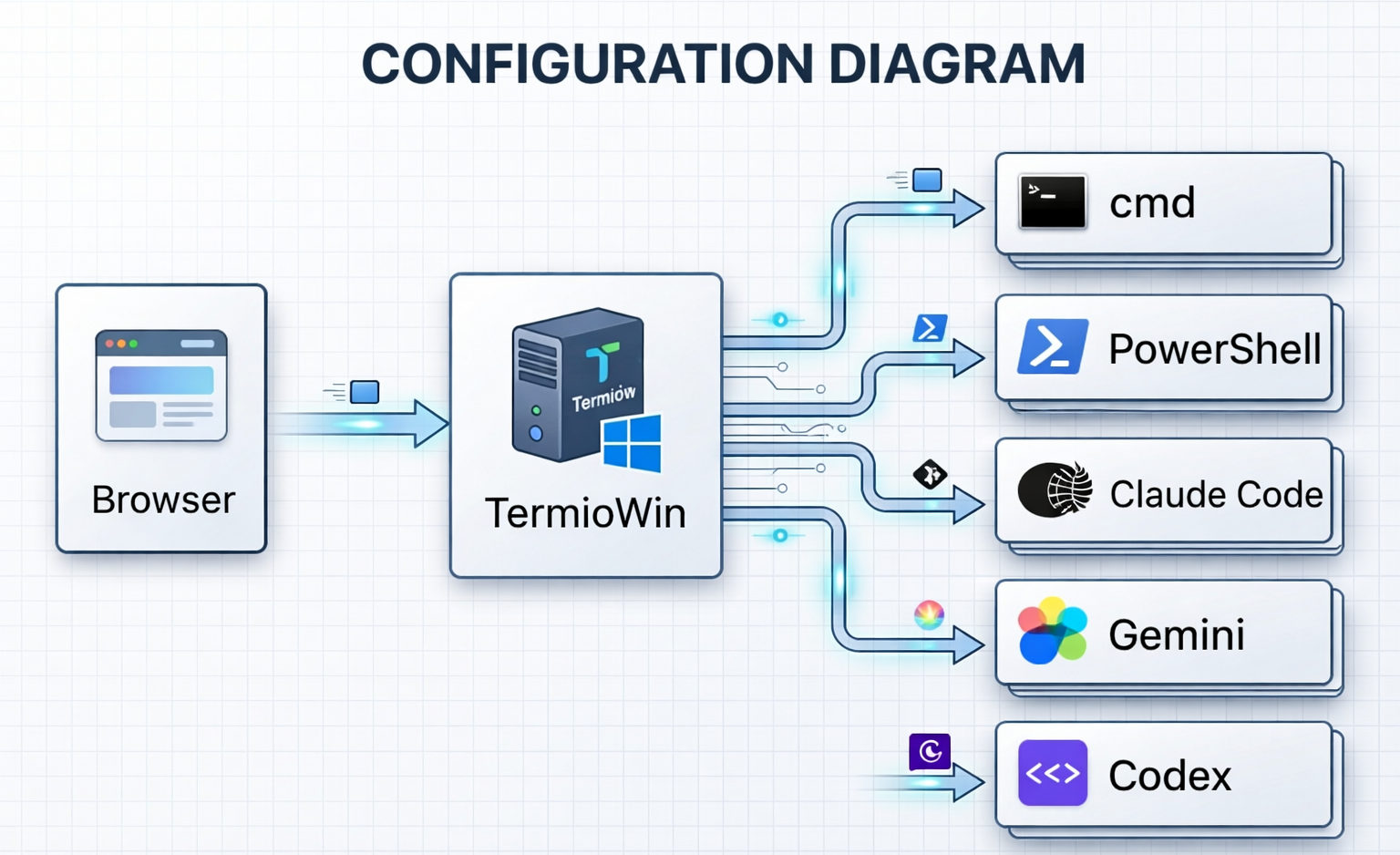
Termio runs as a lightweight server on your Windows PC. Any browser on the same network can connect, log in with your Windows account, and start using the full set of Windows command-line tools — instantly.
Download the installer from this page and run it. Termio starts a local server on your Windows PC — that's it.
Navigate to the Termio address from any browser — Chrome, Edge, Firefox. Log in with your Windows password.
cmd, PowerShell, Git, Python, Node.js — every command-line tool installed on your Windows PC is available immediately.
Split your terminal into multiple panes and tackle several tasks in parallel. Open additional browser tabs for independent workspaces — each with its own shell sessions, layout, and working directory.
As you type in the Input Bar, matching suggestions appear instantly — no manual lookup needed. Works for AI CLI slash commands and every supported shell.
/ for instant Claude Code, Gemini CLI, Codex CLI, Copilot, and Cursor completions
Built from the ground up for Windows — not ported from Linux or macOS.
Authenticates with your existing Windows account via LogonUserW. No separate password to remember, no data sent to third-party services.
Close your browser, lose Wi-Fi, or reboot the client — your terminal session keeps running. Reconnect and pick up exactly where you left off.
Output Buffer 256 KBDirect PTY integration with no extra processing layers. Commands execute at native speed, making Termio as fast as any local terminal.
Native PTYSave up to 5 workspace layouts with custom pane splits. Open multiple browser tabs, each with its own independent workspace and history.
Up to 5 layoutsEnable HTTPS with a self-signed certificate generated automatically on first run. Secure remote access over any network with minimal setup.
Self-signed certAll application processing happens on your machine. The Termio application itself includes no telemetry, no cloud sync, and no third-party analytics. Your terminal is yours alone.
Zero telemetryThe built-in Model Context Protocol server lets Claude, Gemini, and other AI assistants read your terminal logs and session state — no extra setup.
MCP ProtocolAutomatically discovers PowerShell 7, Git Bash, MSYS2, Cygwin, and WSL distributions. Pick from a dropdown — no configuration needed.
CMD · PS7 · Git · WSLOpen Markdown, PDF, HTML, or text files in a terminal pane. File watching auto-refreshes content as files change on disk.
Markdown · PDF · HTMLTermio is built with enterprise security requirements in mind from day one.
Authentication and terminal I/O never leave your machine. All data stays within your Windows environment.
The stable release will be distributed through the Microsoft Store — automatically signed and verified by Microsoft, with no security warnings. Currently in beta via direct download.
Personal use requires no account, no registration, no email. Enterprise license activation is a one-time event — after that, Termio runs fully offline.
Single binary, no hidden services. Data stored only in %APPDATA%\Termio\. Easy to inspect, easy to uninstall, easy to audit.
Choose the plan that fits your needs.